 klikwit
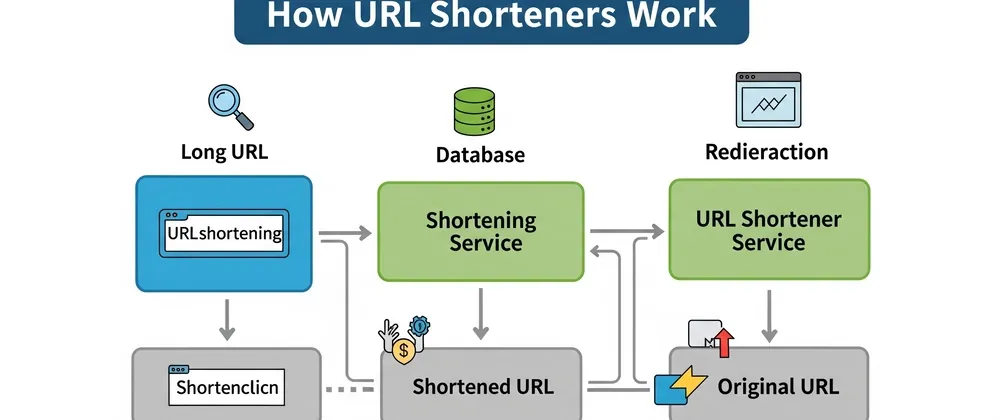
A url shortener stores a long web address in a database and assigns it a unique short code that acts as a redirect pointer. When someone clicks the short link, the server looks up that code and sends the browser to the original destination using an http 301 or 302 status. This process converts long urls to short links by swapping a complex address for a brief alias that resolves in milliseconds.
URL shortener parts and inputs
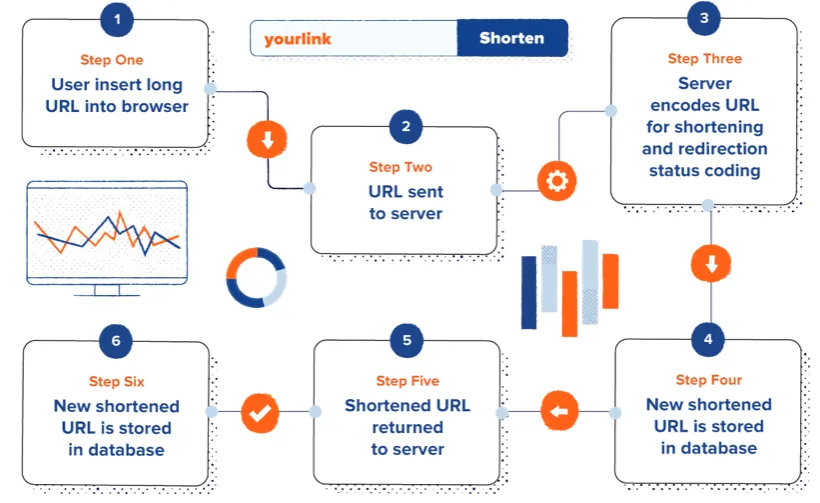
Every shortening service relies on specific technical components to map a brief alias back to a full web address reliably. The system isn't magic; it's a structured database lookup paired with a web server configured to handle redirects at scale. If any single part fails, the link breaks permanently or loads incorrectly, so understanding these pieces helps you diagnose issues when they arise.
| Part or input | What it does | What you notice when it goes wrong |
|---|---|---|
| Original URL | Provides the destination address to store | Error message saying invalid or missing link |
| Short code | Acts as the unique key for lookup | 404 page or wrong destination loads |
| Redirect server | Sends browser to the stored destination | Link hangs indefinitely or times out |
| Database | Maps short codes to original addresses | Broken links across the entire service |
| Analytics tracker | Records click data before redirecting | Missing stats but link still functions |
| Expiration setting | Controls how long the mapping stays active | Link stops working after set time period |
How URL shorteners process links
The transformation from a lengthy web address to a compact link follows a precise technical sequence every time, where each step must complete successfully for the final short link to function as intended and timing depends heavily on server load and database efficiency, meaning you can't speed this up manually but understanding the sequence explains why some services feel faster than others.
- You submit the original long URL through the service's interface or API endpoint for processing. The system validates the format immediately to ensure it's a legitimate web address before proceeding further.
- The server generates a unique alphanumeric string, typically six to eight characters long, using base62 encoding to maximize combinations. This assumes standard configuration; custom domains may use different character sets or lengths.
- A new record is created in the database linking your short code directly to the original destination URL. This write operation usually takes under 50 milliseconds on properly indexed systems.
- The service returns the complete shortened link to you for immediate sharing across platforms. You should test it once to confirm the mapping saved correctly before distributing it widely.
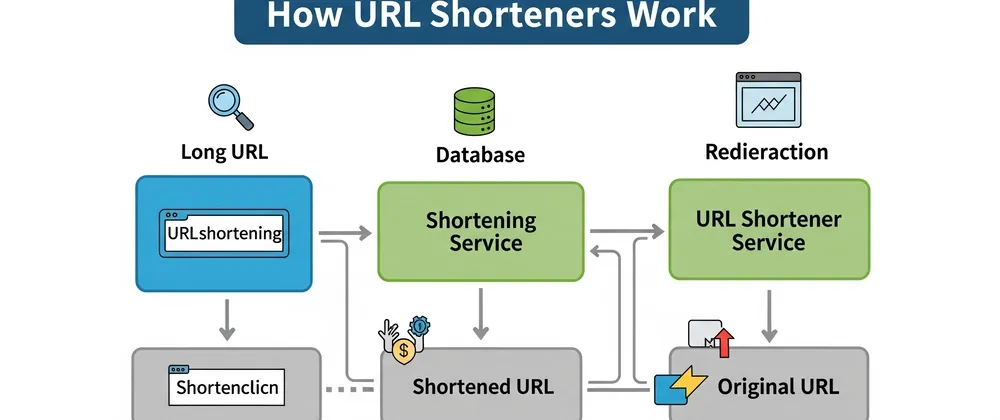
- A user clicks the short link, triggering an HTTP request to the redirect server hosting the alias. The server receives this request and begins the lookup process without loading any content itself.
- The database retrieves the original URL associated with that specific short code from storage. If analytics are enabled, the system logs the click timestamp and referrer data during this retrieval.
- The server responds with an HTTP 301 permanent or 302 temporary redirect status code pointing to the destination. Browsers follow this instruction automatically within milliseconds, completing the cycle seamlessly for the end user.
Why broken short links happen
https://www.youtube.com/watch?v=SqY37xKBjoE
Short links fail when the mapping between the code and the original destination gets disrupted or deleted. Unlike a direct URL that exists independently, a shortened link depends entirely on the intermediary service remaining operational and maintaining its database integrity. If the service shuts down, purges inactive records, or suffers data corruption, every link it ever created becomes useless regardless of whether the original destination still exists.
The redirect type matters significantly for both functionality and search engine treatment. A 301 redirect tells browsers and search engines the move is permanent, passing SEO value to the destination, while a 302 indicates a temporary change that preserves the short link's own ranking signals. Using the wrong type doesn't break the link technically, but it creates problems for marketing campaigns or archival purposes that surface weeks later when traffic patterns shift unexpectedly.
Database indexing failures cause intermittent breakage that's harder to diagnose than complete outages. When the index corrupts or falls behind during high-traffic periods, lookups return inconsistent results even though the underlying data remains intact. This explains why a link might work for some users but not others during peak hours, and why restarting the service sometimes fixes it temporarily without addressing the root cause.
Controllable vs fixed URL shortener limits
What you control
- Choose descriptive custom aliases instead of random strings to improve trust and memorability for human readers.
- Set explicit expiration dates for time-sensitive campaigns to prevent outdated links from lingering indefinitely.
- Select 301 versus 302 redirects based on whether the destination change is permanent or temporary.
- Enable UTM parameters at creation to track performance without relying solely on the shortener's built-in analytics.
- Test every generated link before publishing to catch mapping errors while corrections are still simple.
What is fixed by design
- Maximum alias length is determined by the service's encoding scheme and can't be extended per link.
- Redirect speed depends on the provider's infrastructure and database optimization, not your settings.
- Data retention policies are set by the platform and apply uniformly to all users on that plan.
- Character restrictions in short codes are hardcoded and vary by provider; check their documentation for specifics.
Getting better results from short links
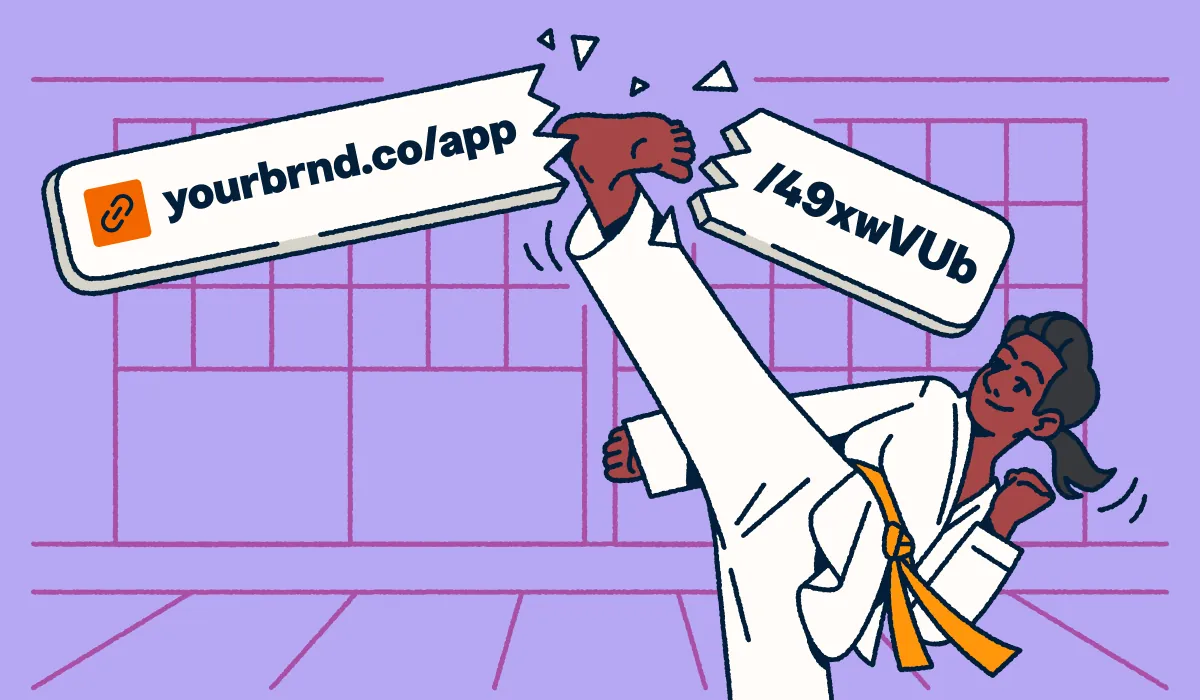
Your habits should match the technical reality that short links are dependent pointers, not standalone addresses. Always maintain a backup spreadsheet mapping your custom aliases to original URLs so you can rebuild if the service fails. This takes minutes upfront but prevents catastrophic loss when providers change terms or shut down unexpectedly, which happens more often than most users anticipate.
Monitor your links quarterly rather than assuming they'll work forever. Services sometimes purge inactive mappings after 6-12 months of zero clicks, depending on their stated retention policy. Set calendar reminders to verify critical links still resolve correctly, especially for evergreen content or printed materials where updates are costly or impossible.
Use UTM parameters embedded in the original URL before shortening, not just the platform's native analytics. Native dashboards disappear when accounts lapse or services pivot, but UTM data persists in your own analytics tools indefinitely. This ensures attribution survives beyond the shortener's lifespan and gives you ownership of the performance data.
Avoid chaining multiple shorteners together to create nested redirects. Each additional hop adds latency and another point of failure, degrading both user experience and deliverability. If one service in the chain dies, the entire link breaks permanently with no recovery path.
Frequently asked questions
Can I make money with URL shorteners?
Yes, but only through ad-supported services that display interstitial pages before redirecting. Earnings typically range from $1 to $5 per 1,000 clicks depending on traffic geography and advertiser demand. Most legitimate business use cases avoid monetized shorteners because the intermediate ads damage user trust and reduce click-through rates significantly compared to clean redirects.
Why do short links get blocked on social media?
Platforms block shorteners when spammers abuse them to hide malicious destinations or evade content filters. Facebook, LinkedIn, and X maintain dynamic blocklists that update frequently based on abuse reports. Using a custom domain with your own shortener avoids this problem entirely since you're not sharing reputation with thousands of unrelated users on public services.
How long do shortened URLs last?
Lifespan varies by provider: Bitly retains links indefinitely on paid plans but may purge inactive free-tier links after 12 months, while TinyURL keeps links active as long as the service operates. Always check your specific provider's retention policy in their terms of service rather than assuming permanence. For critical links, assume nothing lasts forever and maintain backups.
Is it safe to click unknown short links?
Not inherently, since the destination is hidden until the redirect executes. Malicious actors exploit this opacity to disguise phishing sites and malware downloads. Use a preview feature or expand the link with a tool like Unshorten.it before clicking to verify the actual destination matches expectations. Treat unsolicited short links with the same caution as suspicious attachments.
What happens if the shortening service shuts down?
Every link created through that service stops working immediately and permanently. The original destinations remain accessible via their full URLs, but all short aliases become dead ends with no recovery option. This is why maintaining your own mapping records matters critically for any links used in print, email signatures, or long-lived digital content.
Does URL shortening hurt SEO rankings?
No, provided the service uses proper 301 redirects that pass link equity to the destination. Google's John Mueller confirmed that standard redirects transfer ranking signals effectively. Problems arise only when services use 302 redirects, meta refreshes, or JavaScript-based redirection that search engines don't follow reliably. Verify your provider's redirect method before using short links for SEO-sensitive pages.
How many characters can a short URL have?
Most services generate 6-8 character codes using base62 encoding, yielding trillions of unique combinations. Custom aliases typically allow 3-32 characters depending on the platform's configuration. Check your specific provider's documentation for exact limits rather than assuming universal standards, as enterprise and self-hosted solutions often support longer custom slugs than consumer-tier services.
Conclusion
Short links are convenient tools that introduce a dependency most users never consider until something breaks. Understanding the mechanism lets you use them strategically while protecting yourself against the inevitable failures that come with trusting third-party infrastructure for essential navigation paths.
Comments (0)
No comments yet. Be the first to share your thoughts!
Leave a Comment